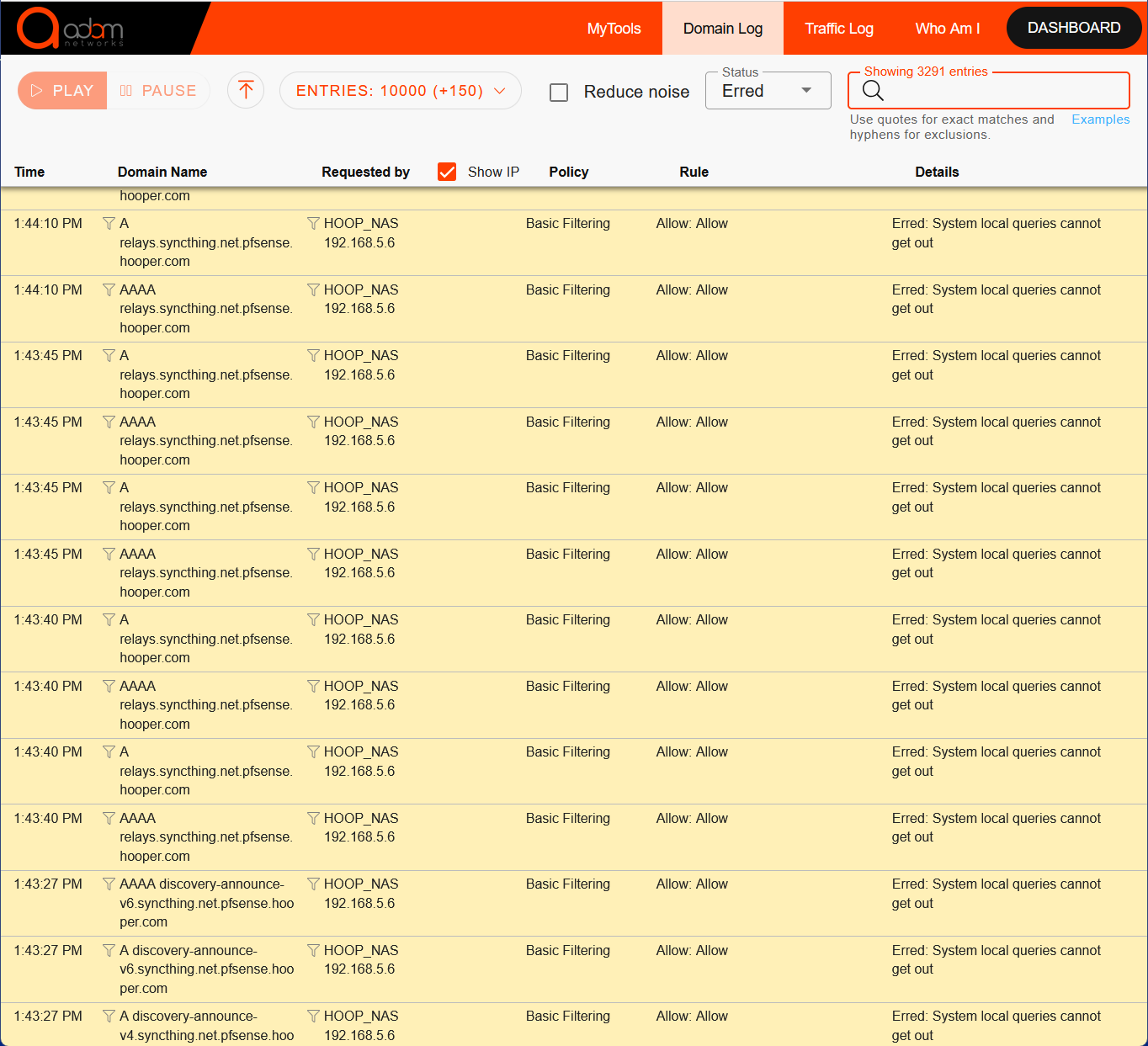
I recently replaced our NAS; I have a number of problems with it, but first I suspect that adam:ONE is restricting its communication. Hundreds of queries from the NAS are Erred (none are blocked); 99+% of the Erred queries are from the NAS. Here are some of them:
Note: pfsense.hooper.com is the domain name for the pfsense firewall; none of the allowed queries and all of the Erred queries are to it.
In case it appears to those who know more than I that our adam:ONE setup might be responsible, everything is set for Basic Filtering with DSN Harmony except the Brother printer, which isn’t allowed to access the Internet. I tried setting the NAS to Unfiltered, but it made no difference.
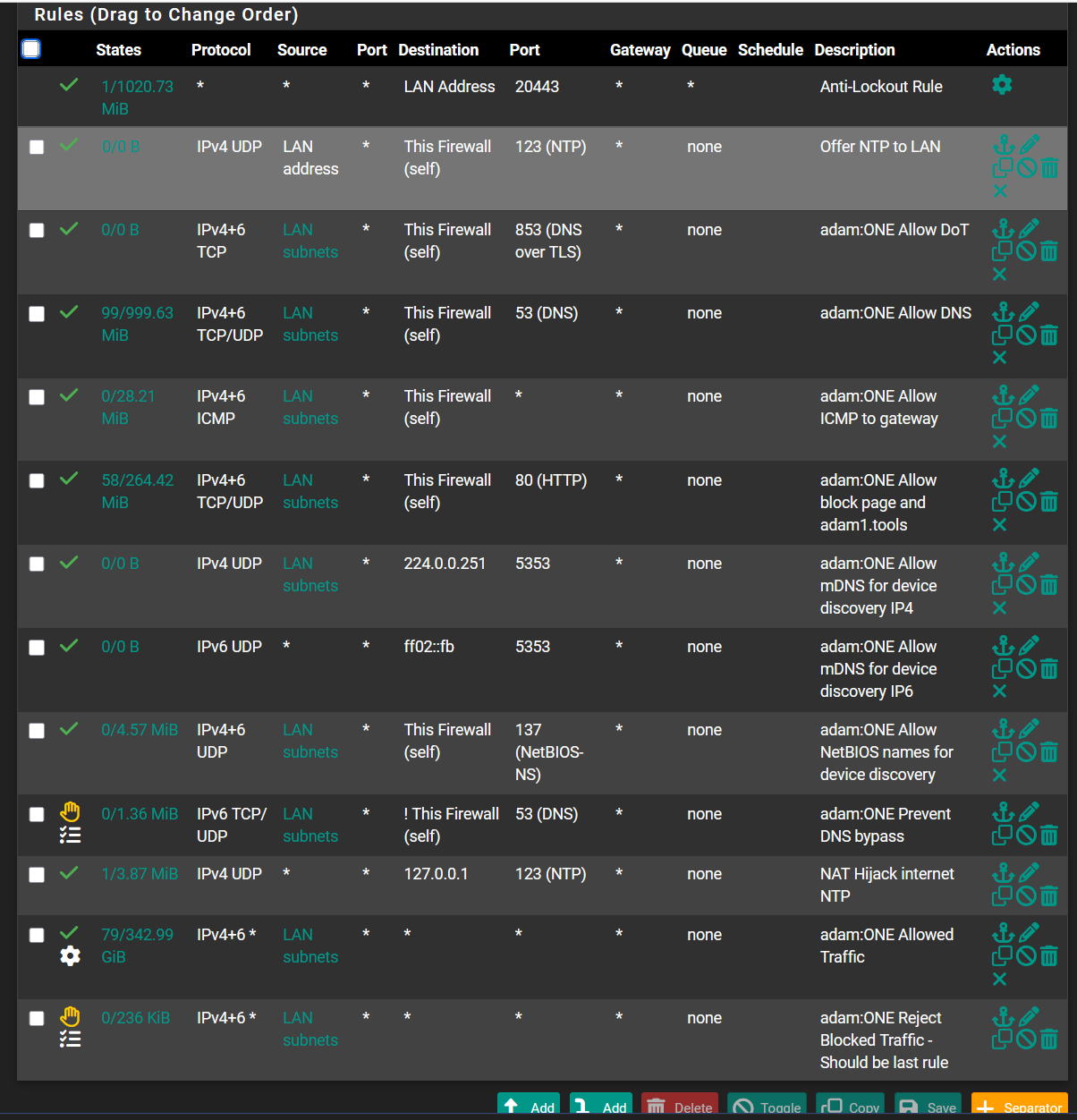
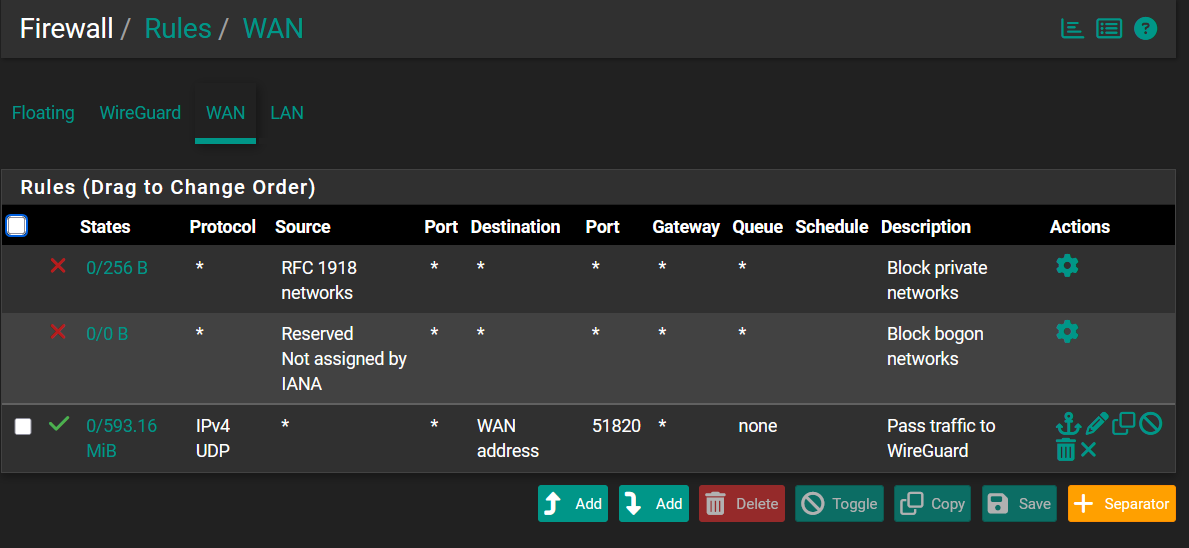
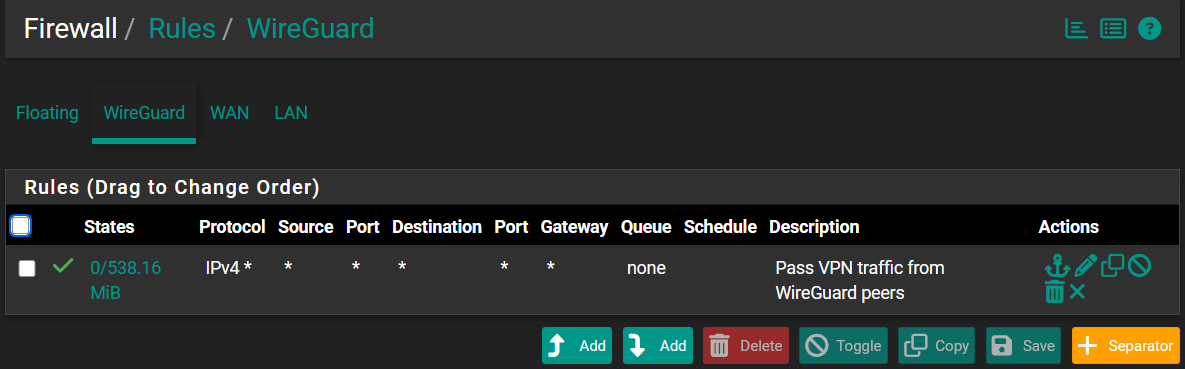
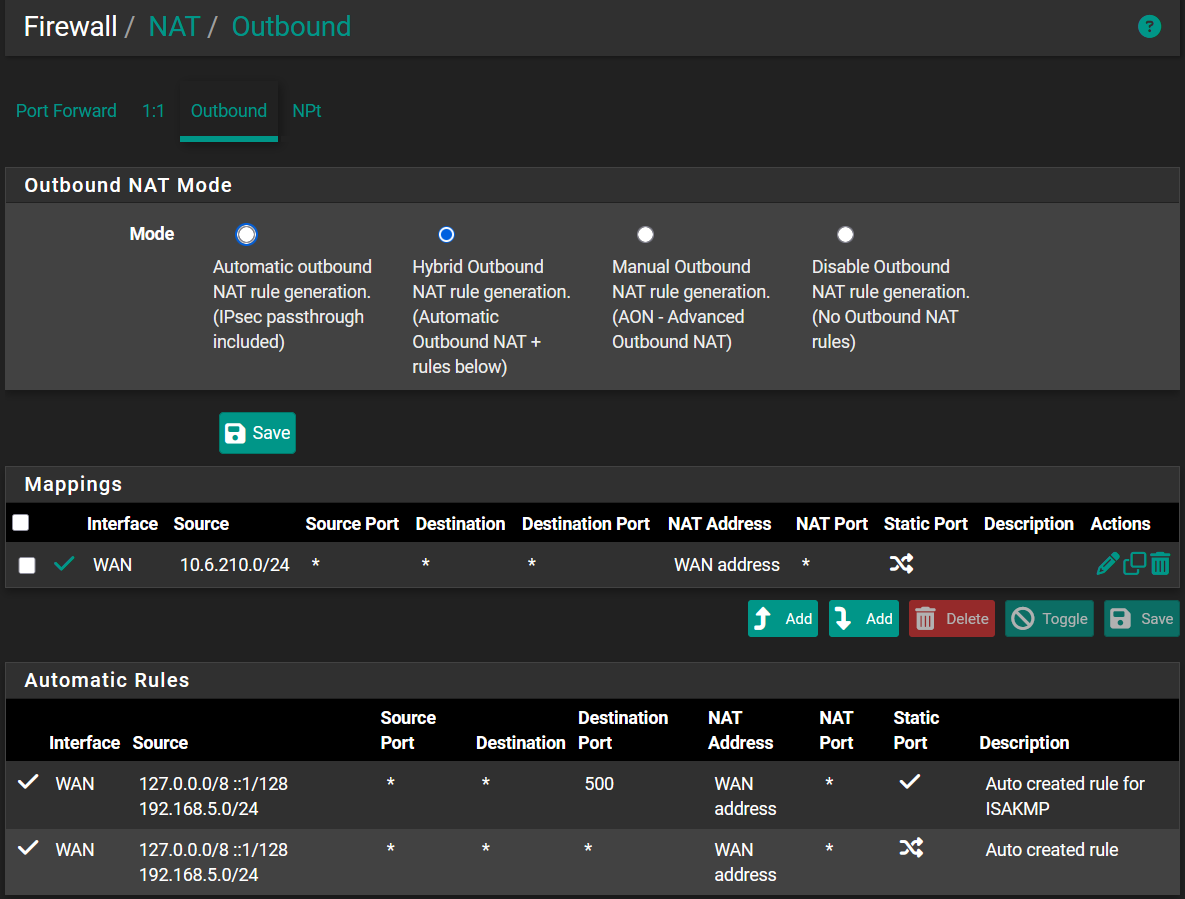
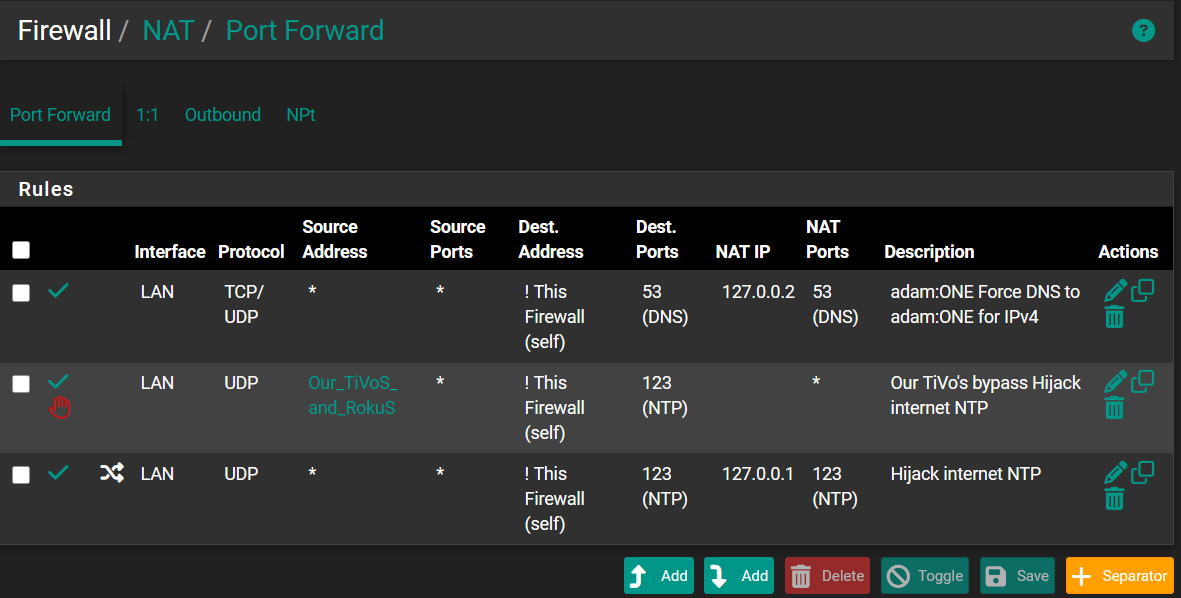
Below are our pfsense’s current rules; please note that our cell phones access the Internet through a WireGuard VPN to our pfsense box. I really hope that someone can help as I’ve exhausted my ideas.
it seems like your NAS is appending the pfsense.hooper.com suffix to every query that it’s making. It’s probably just trying to reach the sync thing domain.
It seems like your DHCP server has that set as a search suffix.
I hadn’t noticed that ~70% were syncthing; thank you.
When I excluded syncthing.net from the domains I found that essentially all of the remainder began with “stun.voipstunt.com”. The only exceptions were when I was trying and failing to time-sync the NAS. We don’t use voipstunt, so I don’t know why there are ~1000 queries about it. Also, I didn’t find it related to synology when I searched both words together.
I will ask about appending pfsense.hooper.com in the syncthing community.
But, for me, the overriding question is why (and should) pfsense ignore queries to pfsense.hooper.com as the pfsense box (with adam:ONE) handles the DNS for us. It seems like I should ask that question in the pfsense forum.
Again, thank you. I had stopped being able to think of things to try and your response has opened my mind (a bit) again.
DNS servers are usually set as an IP address, not a hostname. So for example the DNS server in your NAS is set to 192.168.0.5.
The queries will go to that IP address.
Having them go to pfsense.hooper.com would be putting the cart before the horse: how should it know where to look up “pfsense.hooper.com” if the dns server is not set? You have to tell it the DNS server IP to go to first, then it can resolve hostnames.
If your NAS is appending the search domain to every query, I would recommend removing the search domain from it’s DNS settings, or if needed even from the DHCP server configuration.
Under Control Panel | Network setings | General | Advanced Settings I found “Apply the domain name provided by the DHCP server” already checked. I unchecked it and the Erred’s disappeared.