I got up this morning to hundreds of messages from my server saying communication with the UPS, which is on the pfSense/adamOne gateway, has been lost, then restored, then lost etc. This has been since 06:56 UTC+1.
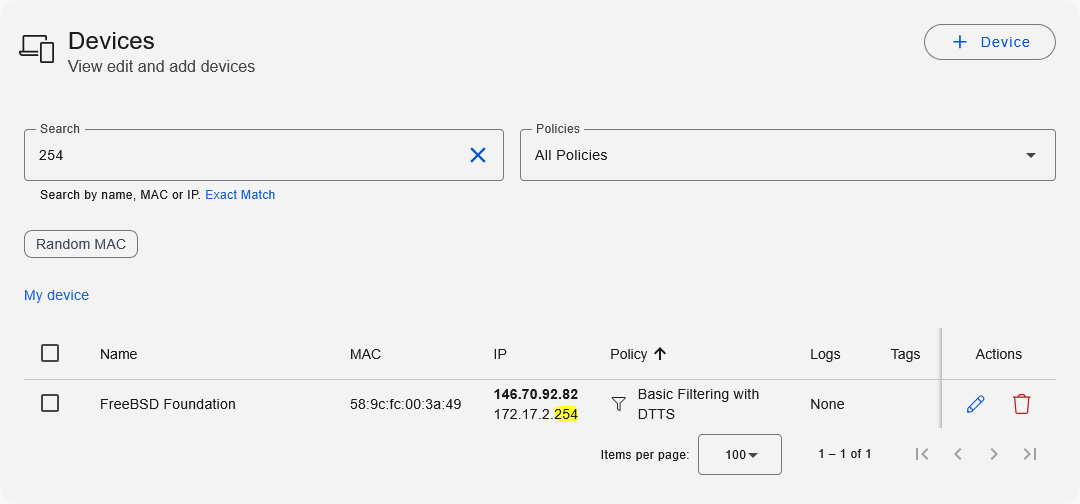
I logged on to the server and the problem I reported in Feb - Possible bug in v4.15.2-1 - is back. The gateway has picked up an extra address, 146.70.92.82 and it is messing up DNS resolution again Why?
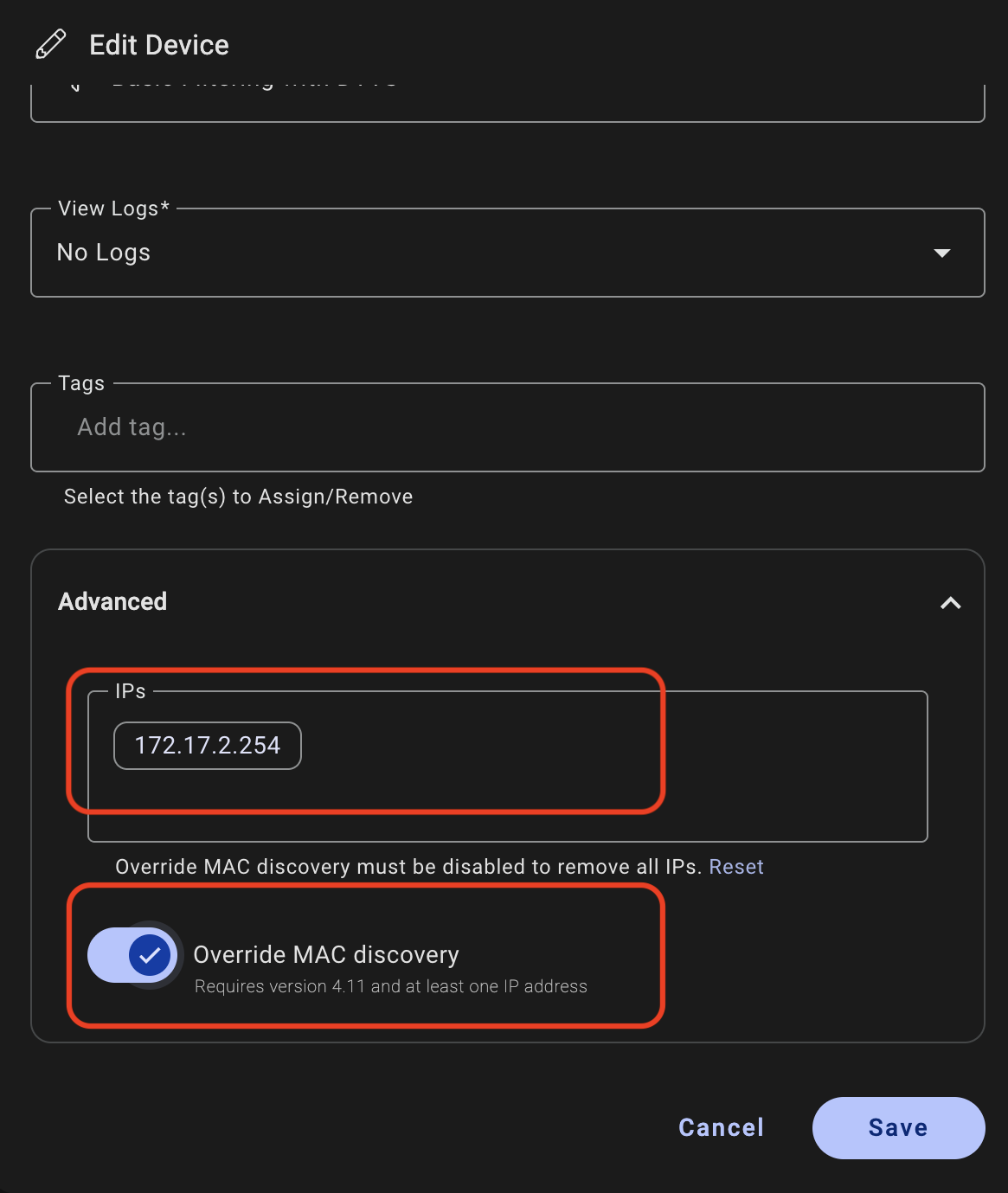
I then logged onto the gateway and saw:
How has this become disabled? It was working when I last logged on a couple of weeks ago? If it is relevant, there has been no change to /usr/local/etc/adamone/anmuscle.conf since February.
“hundreds of messages from my server saying communication with the UPS, which is on the pfSense/adamOne gateway, has been lost, then restored, then lost etc.”
Perhaps not the primary concern, and, while I cannot offer anything in the way of the other queries, this is a common result of failed UPS batteries. The UPS will require servicing or replacement.
The UPS integration in pfSense is notoriously bad, it could be a faulty UPS or it could just be the integration acting up. For the most part we don’t use it for this reason.
Regarding the DNS resolution issue, I’ll tag @David on that. We don’t have any internal issue report related to it right now.
Finally on the Domain and Traffic Reporting. This is a Dashboard controlled option and we added this banner to let our clients know if the option is disabled on adam:ONE ZTC plans. It has no affect on the domain logging in MyTools.management. But as the message says, it is required in order for our team to generate threat reports which are available to managed clients.
Thanks for the reply, but I am afraid it has nothing to do with it.
The UPS is connected to pfSense by USB. Apcupsd is running on pfSense as a master. Both pfSense and OpenMediaVault are plugged into the mains supply of the UPS and apcupsd is configured as a slave in OMV, querying apcupsd in pfSense via the LAN using the FQDN pfsense.howitts.co.uk.
Normally pfsense.howitts.co.uk resolves to the pfSense LAN IP. Unfortunately adamOne sometimes picks up a bogus IP for pfsense.howitts.co.uk like it has now (from my PC) -
Then, David raised a ticket for me, but resolved it as the expected response. I was a bit flabbergasted, but had to accept it. I completely tidied up my Devices list but it has now happened again. IMHO, it must be a bug. How does a LAN interface end up with an extraneous internet IP attached to it in adamOne?
Yes, of course you are right. In my head the message was about batteries being discharged and then all of a sudden being charged fully. Apologies for the noise.
It looks like the adamOne resolver does round-robin resolving, so when it is queried once it gives one answer and when it is queried a second time it gives the other answer. At the same time, apcupsd must be doing a DNS lookup every time it does a status check, so it connects once and then next time it receives the other IP, apcupsd fails to connect and you get the connection lost message.
There are some flags you can set to change the resolving behavior but round robin would not be an accurate description of the default behavior (unless something has changed recently).
I am able to query the name you posted earlier from Quad9 and get an external IP back, are you using this DNS suffix for internal devices including the pfsense firewall (Located at System>General Setup>System>Domain)?
OK, perhaps not round-robin, but if I do an nslookup once and the first answer I get is 172.17.2.254, then the nest time I do an nslookup, I get 146.70.92.82 and running it a third time I get 172.17.2.254 etc. What would you call that?
[edit]
This time around on another Linux server, the result of the nslookup appears to be fairly random
[/edit]
Yes I use the domain both internally and externally. Externally I have a wildcard, but, essentially I have a split-domain setup.
There is still no reason for adamOne to attach 146.70.92.82 to an internal interface - or even an external one.
Hi @NickH the nature of auto-enrolment of everything works exactly as designed. In your case you can use the “Override MAC discovery” for that hostname. Delete the public IP binding and it will not return.
Thanks, for that fix, but I still don’t see how it can be acceptable for a LAN NIC, defined by its MAC address, to auto-enroll an IP somewhere out on the internet.